A small desk becomes easier to use when the keyboard, mouse, and current task have space of their own. Moving appropriate storage onto the wall can help, but only if the stored items remain reachable and do not hang into the screen or working area. The aim is a usable arrangement, rather than a desk that looks empty for a photograph.
Start by identifying what is occupying the surface without being part of the task in progress. Spare pens, a reference folder, and headphones between uses may suit vertical homes. The keyboard and papers you are actively using still need a practical place on the desk.
Separate Working Items from Parked Items
Sit at the desk for a normal task. Note which objects you touch repeatedly and which merely remain there because they have nowhere else to go. Keep the distinction specific: the pen in your hand is working equipment; a collection of spare pens is stored equipment.
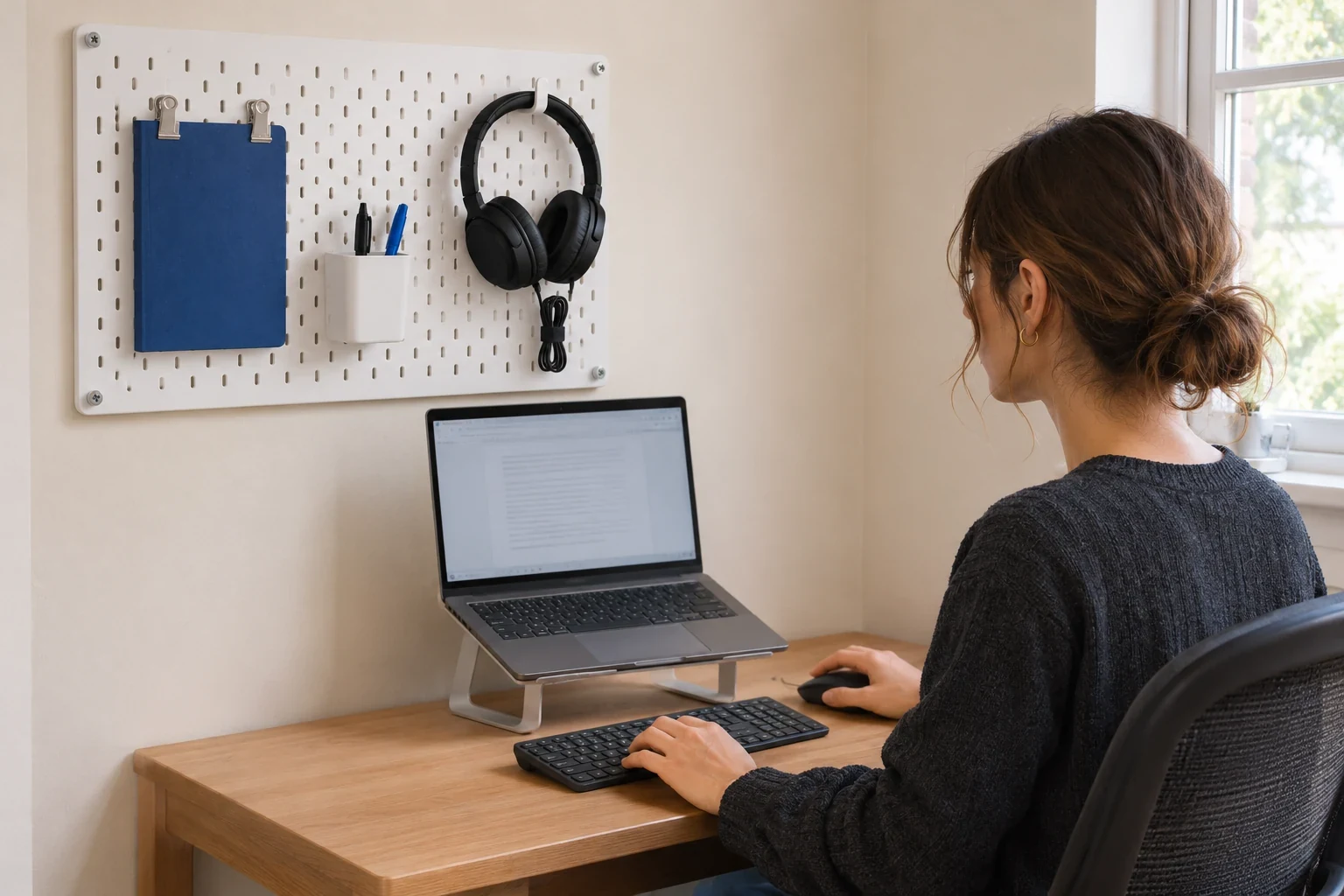
Make a short list of candidates for moving. In this example, they are a thin blue folder containing a few reference sheets, spare pens, and headphones. Give each an appropriate vertical home instead of creating a general wall basket that receives everything. IKEA's small-home-office ideas include pegboards and accessories among the ways to organize small things; their usefulness depends on the actual items and access.
If a drawer or nearby cupboard already provides a better home, use it. Vertical storage earns its place when it improves retrieval and return without consuming another important part of the work corner.
Protect the Input Area Before Adding Storage
Mark where the screen, keyboard, mouse, and active papers need to be. Include movement rather than just the mouse itself. Do not buy a desktop tower or shelf that clears one small object while forcing your keyboard sideways or pushing the mouse behind a support.
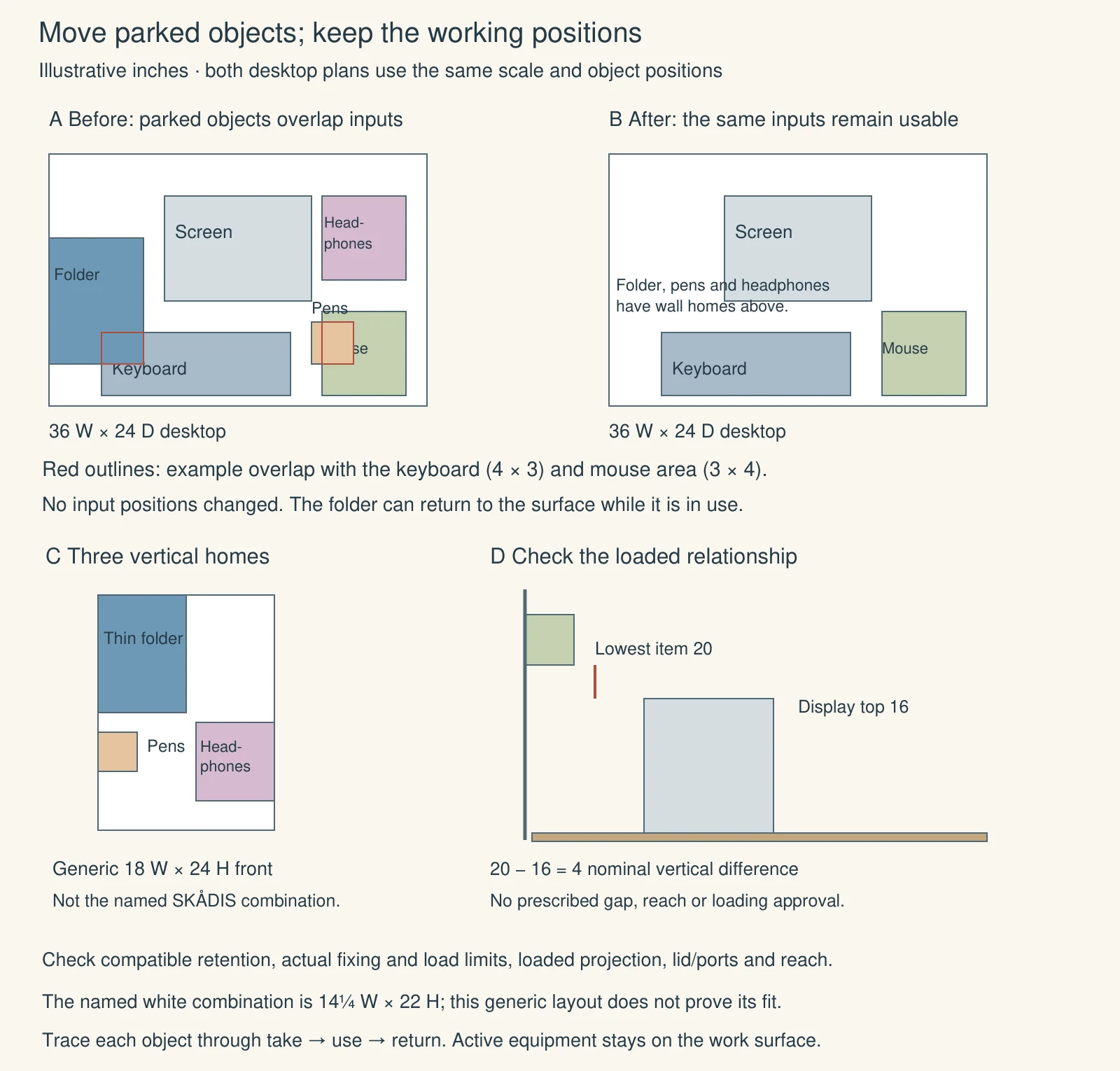
The illustrative plan uses a 36-by-24-inch desktop. Its chosen keyboard area is 18 by 6 inches and its mouse area is 8 by 8 inches. A 9-by-12-inch reference folder overlaps part of the keyboard area, while a 4-by-4-inch pen container overlaps the mouse area. Headphones occupy another corner.
The second state keeps the same working positions and moves those three stored groups to suitable wall accessories. These are example footprints, not minimum desk dimensions or a particular person's reach. They show what changes when stored objects leave the operating area, rather than claiming that every clear-looking desk is ready for work.
Choose a Holder for the Object and the Board
Match the attachment to both its mounting system and its contents. Paper clips suited to a few sheets are not automatically holders for a heavy notebook. A shelf needs enough usable support for the object and must retain it as intended. A headphone hook must work with the actual headband and any cable stored alongside it.
Check the current accessory instructions, loading limits, and retention method before arranging the objects. Do not assume that a generic pegboard hook, a printed accessory, or a clamp from another system is compatible because it appears to fit a hole. If a holder cannot support the item appropriately, choose another suitable home.
Keep the retrieval simple. You should be able to remove the folder without unloading a shelf, take a pen without moving the display, and return the headphones without leaving their cord across the desk. Try the same actions from the normal working position and while standing where appropriate.
Check the Loaded Projection Above the Desk
A wall panel's width and height do not describe the space occupied by its accessories. A container, shelf, or hanging object projects forward; a cable may extend below its nominal holder. Include the complete loaded shape when checking it against an open laptop, monitor, light, and the person using the desk.
In the example side relationship, the lowest stored item ends 20 inches above the desktop and the chosen display reaches 16 inches. The nominal vertical difference is 4 inches. That is an illustration, not a prescribed mounting gap or proof of reach, screen movement, or accessory loading. Check the real lid movement, controls, connections, and your view of the entire screen.
Choose a position that the intended person can use appropriately. Higher storage is not an improvement if a frequently used item is difficult to remove or return. Keep the working setup usable while selecting the storage position, instead of moving the display into an awkward place to accommodate the board.
Check What a Named Combination Actually Includes
The current US white IKEA SKÅDIS combination, article 095.901.31, is 14¼ inches wide and 22 inches high at the front. It consists of one 503.208.05 pegboard and one 205.864.20 seven-piece accessories set, supplied as two packages.
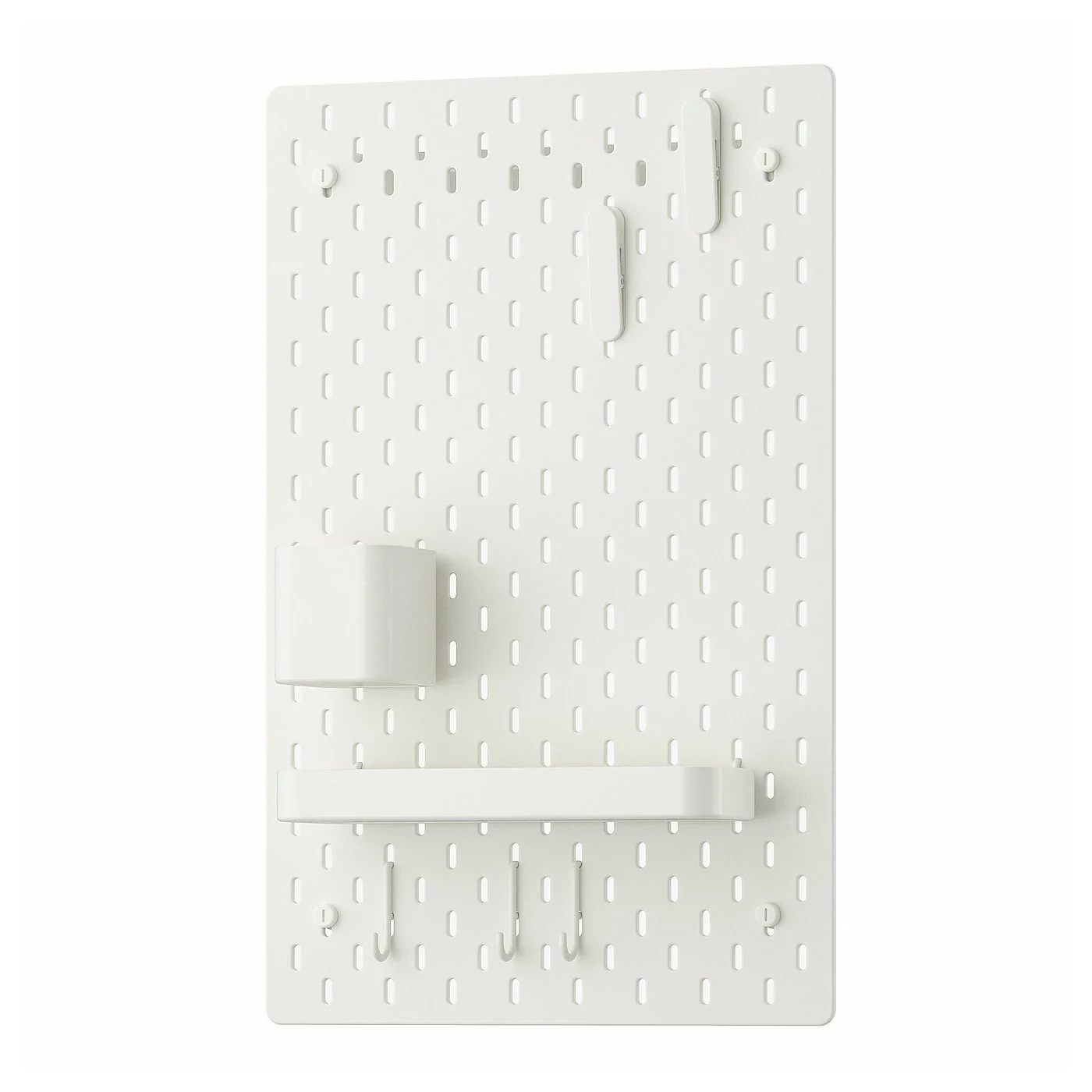
The accessory set contains two clips, one container, three hooks, and one shelf. That is different from buying the panel alone. Wall-mounting screws are sold separately, and the combination requires secure anchoring with fixings suitable for the actual home. Check permitted installation, including any rental conditions, before choosing the system.
Those front dimensions do not establish loaded accessory depth or fit for your folder and headphones. The generic planning drawing is not a layout of this exact combination. Check each selected component and the actual objects; do not substitute shipping-package measurements for assembled projections. Desk-clamp mounting also needs its own correct components and compatibility checks.
Complete a Normal Task and Restore the Homes
Work with the new arrangement, then take out and return each stored item. If the folder is in use, it can be on the desk for that task; the wall position is its home between uses. Keep the reference sheets and folder together so the return stays straightforward.
At the end of the session, restore the pens and headphones and inspect the input area again. Change a holder or location if objects keep landing beside it. A successful vertical setup leaves the active surface usable and gives the parked items a home you can actually maintain.